
Period Closing (Month Closing)
Period closing (also called month closing) freezes all bookings and balances up to a specific cut-off date. After closing, this data is protected against accidental or unauthorized changes.
How It Works
PlainStaff offers two variants of period closing:
Automatic Period Closing
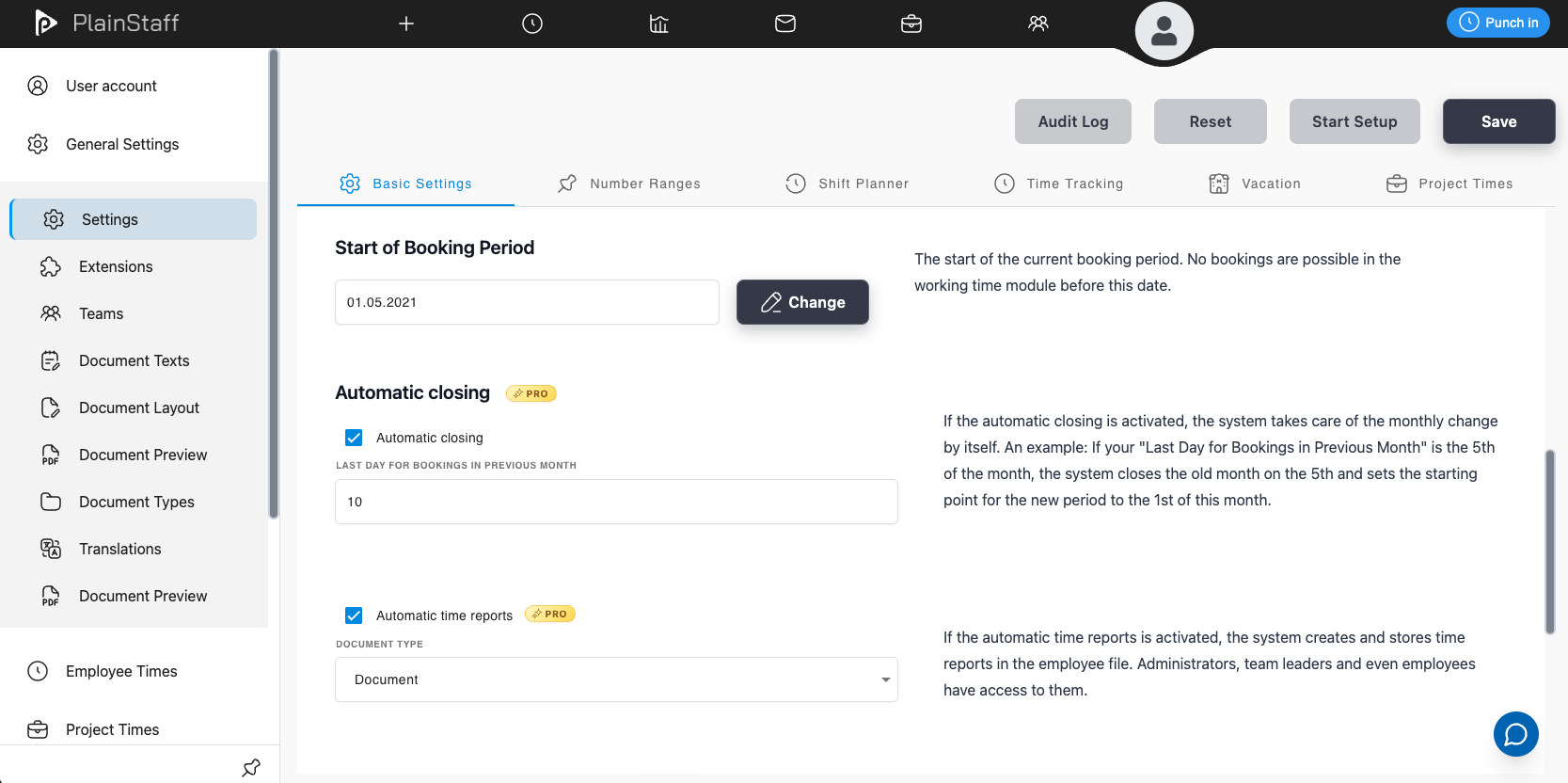
The automatic period closing is checked daily at 00:05 by a background service. When the system detects that the configured cut-off day for bookings in the previous month has been exceeded, it automatically triggers the closing of the expired period.
Example: If "Last Day for Bookings in Previous Month" is set to the 5th, the system checks on the 6th of a month whether the previous month can be closed. If so, the closing is performed automatically.
Manual Period Closing
Administrators can manually trigger period closing at any time via the configuration:
- Open Configuration
- In the "Start of Booking Period" section, click "Change"
- Select the desired cut-off date (last day of a month)
- The closing is performed immediately
The following validations apply:
- The date must be the last day of a month
- It must not be before the existing end of the booking period
- It must not be before the booking start date
- It must not be identical to the current cut-off date
What Happens During Period Closing?
When a period is closed, the system performs the following steps:
1. Freezing Bookings
All time and project bookings in the period being closed are marked with "Month Closure". The booking reasons are stored as a snapshot on each booking, so that later changes to reasons have no effect on closed bookings.
2. Automated Bookings (Presence Tracking)
For employees with mandatory presence tracking enabled (dontRegisterPresence), automated bookings are created for days with no recorded presence where target hours > 0. These receive the reason "Automated Booking".
3. Flextime Account Limiting (optional)
On the Gold plan, you can optionally enable a flextime account limit. If an employee's balance exceeds this limit at the closing date, a correction booking is automatically created that sets the account to the configured maximum value.
This feature is enabled in Configuration under:
- "Limit flextime account" – enables the feature
- "Automatic flextime account limit" – defines the maximum balance
4. Time Account Reports as PDF (optional)
On the Gold plan, time account reports can be automatically generated as PDFs for all employees during period closing. These are stored in the Employee Dossier and are accessible to administrators, team leaders, and the employees themselves.
This feature is enabled in Configuration under automaticTimeAccountReportsOnClose.
5. Daily Balance Snapshots
The system creates a detailed snapshot for each day in the closed period with the following values:
- Target: Planned working hours
- Is: Actual hours (net)
- IsGross: Actual hours (gross)
- RunningTotal: Running flextime balance
- Balance: Daily balance
- Capacity: Capacity
- VacationTaken: Vacation days taken
- VacationPending: Pending vacation
- ProjectHours: Project hours
- ProjectTurnover: Project revenue
These snapshots are used instead of live calculation whenever a day falls within a closed period.
6. Updating the Booking Period
After successful closing, the "Last Booking Cut" (LastBookingCut) is set to the day after the closing date. The new booking period then starts on this date.
Impact on Employees
Once a period is closed, the following restrictions apply:
- Time bookings in the closed period can no longer be edited or deleted
- Project bookings in the closed period can no longer be edited or deleted
- Corrections affecting closed months are rejected with the notice
CHANGES_AFFECT_CLOSED_PERIOD - Changes to working time models or regions that affect the closed period show a warning
- Balances remain frozen at the state at the time of closing
Configuration
Administrators can find period closing settings in Configuration under "Start of Booking Period":
| Setting | Description | Plan |
|---|---|---|
| Automatic Period Closing | Enables/disables automatic monthly closing | Gold |
| Last Day for Bookings in Previous Month | Defines until which day of the current month bookings for the previous month are allowed (default: 28) | All |
| Create time account reports on close | Automatically creates PDF time account reports for all employees | Gold |
| Limit flextime account | Limits the balance at the closing date | Gold |
| Automatic flextime account limit | Maximum balance (default: 999999999) | Gold |