
How do I get an overview of my recorded project times?
Problem
You want an overview of all your recorded project times within a specific period.
Solution
PlainStaff offers two functions for an overview of your own project times:
- The Timesheet (Tätigkeitsnachweis)
- The "Project Bookings" Report
The Timesheet
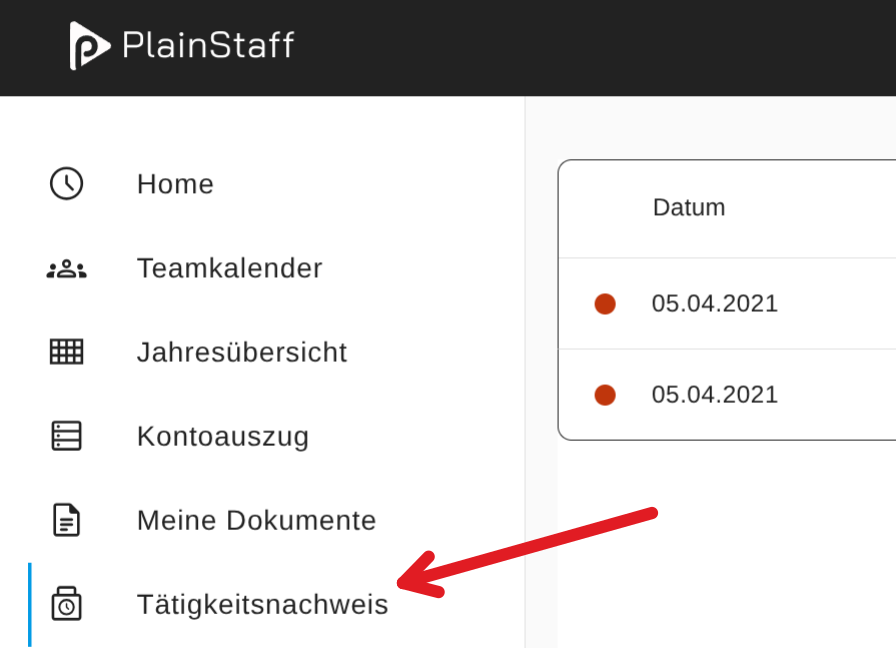
Your own Timesheet can be accessed via the left-hand menu on the homepage:
On the right side of the screen, a menu appears which allows you to filter the bookings displayed on the report. The options available for selection are:
- The date range
- The projects
- The billing status (only billed, only not billed, or both)
- The language and the format (PDF or Excel)
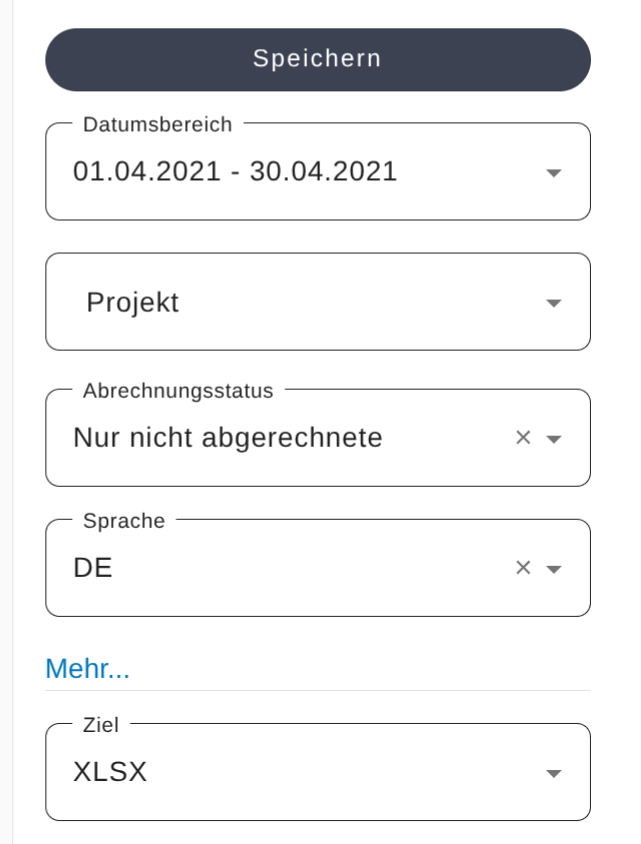
By clicking on "Save," the report is saved to your device in the desired format.
The "Project Time Bookings" Report
This report can be generated in the PlainStaff Report Center:
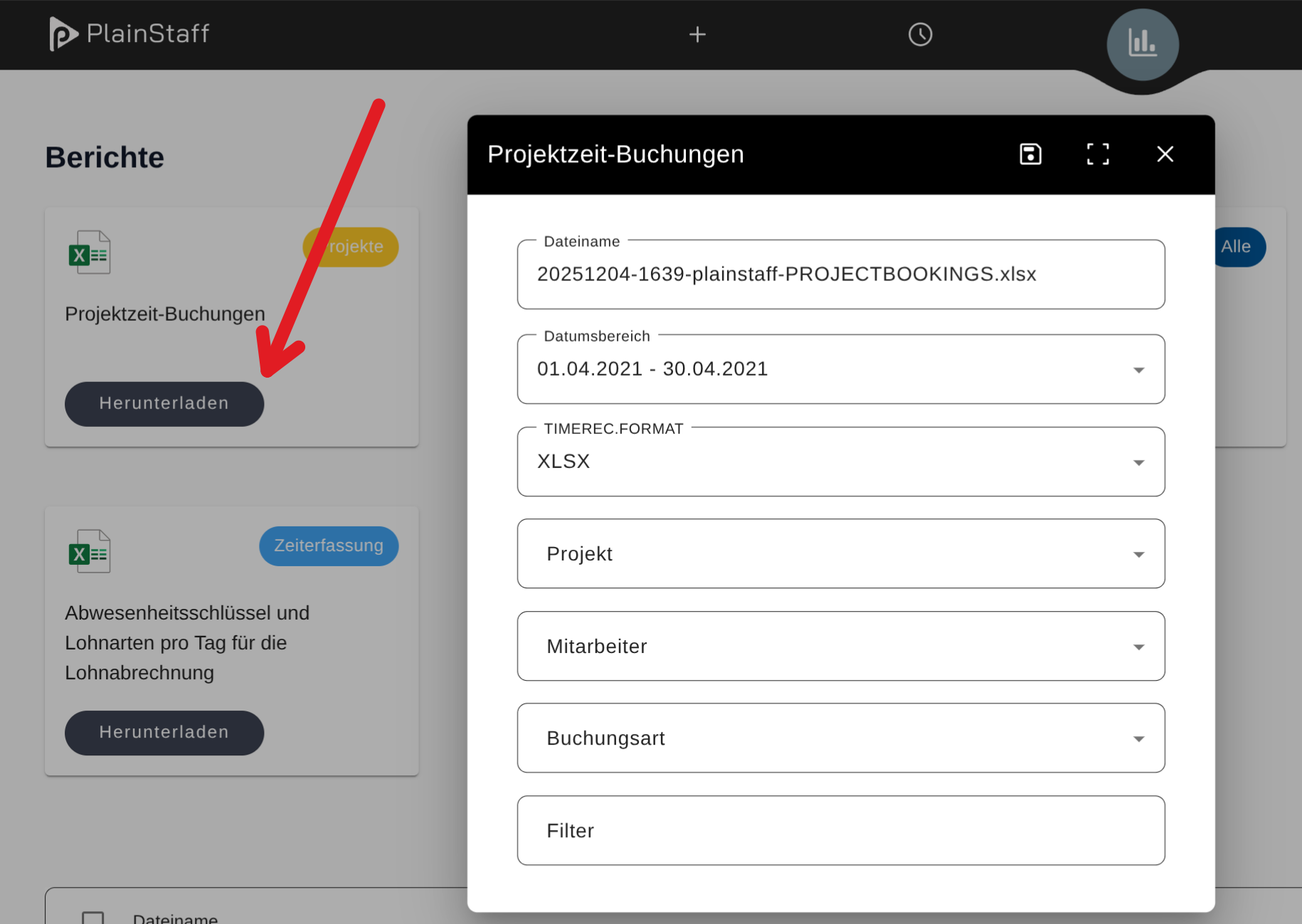
Again, various filter options are available. The billing status cannot be pre-selected in this case. Instead, you can filter by it in the generated Excel file by clicking on the column header.
After clicking "Download," the file is generated and then saved to your device (if the popup blocker is deactivated). Should the report not be saved automatically, a click on the line in the report list at the bottom of the screen is sufficient.
Category: Projects