
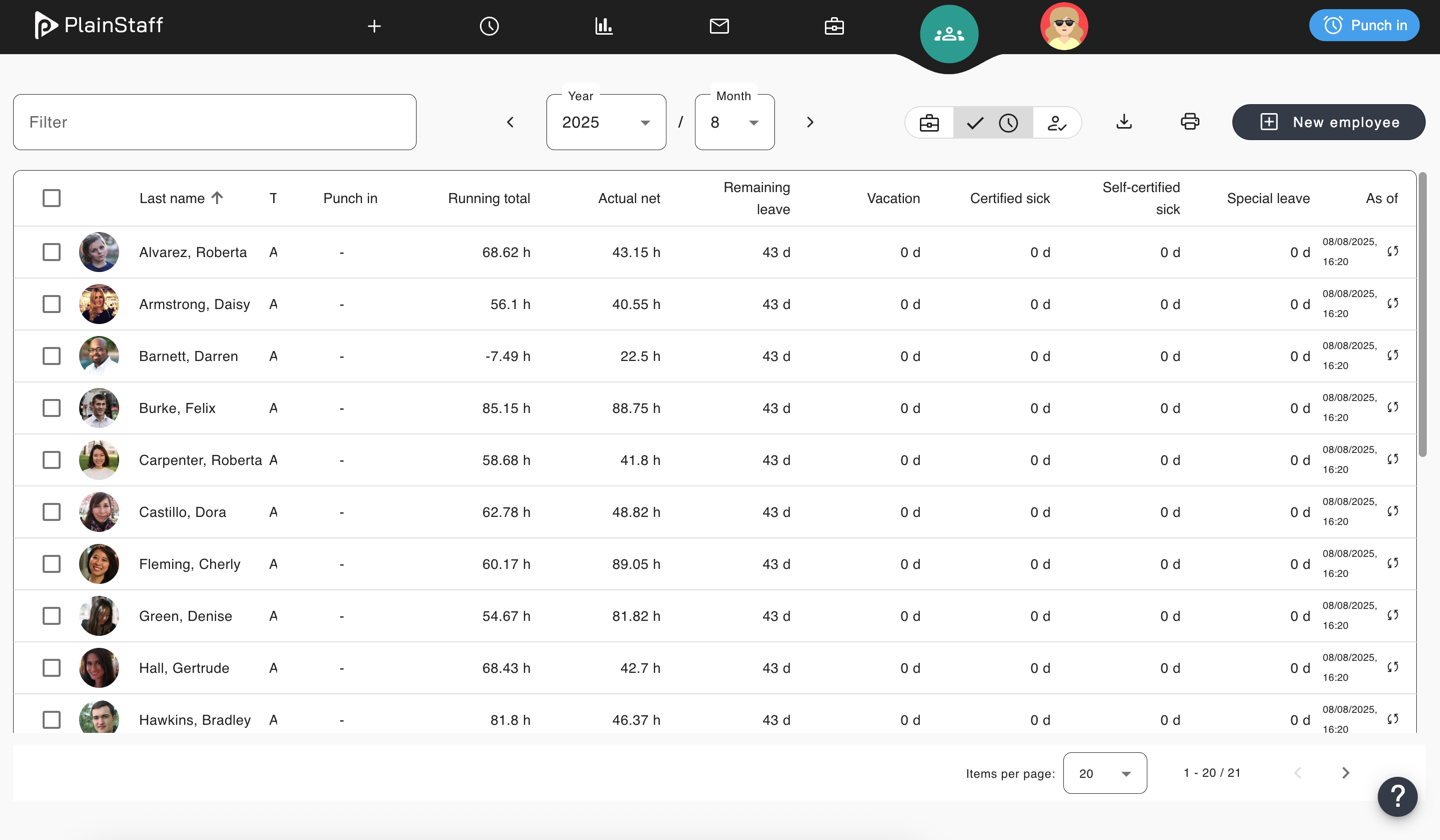
The employee overview provides a comprehensive overview of all employees for whom the current user is authorized. From here, a single click on an employee takes you directly to the employee file. Depending on the licensed module, the employee overview provides the following key metrics for employees:
Working Time
- Balance: The balance of the time account
- Remaining vacation: With a licensed Absence module, the current remaining vacation of the employee. Otherwise, the vacation taken by the employee.
- Sick with certificate: The sick days with medical certificate of the employee calculated since the start of the current booking period, which can be defined in the settings.
- Sick without certificate: The sick days without medical certificate of the employee calculated since the start of the current booking period, which can be defined in the settings.
- Special leave: The special leave days of the employee calculated since the start of the current booking period, which can be defined in the settings.
Project Time
- Current year hours: The number of booked project hours in the current year.
- Current month hours: The number of booked project hours in the current month.
- Current year turnover: The project turnover in the current year.
- Current month turnover: The project turnover in the current month.
- Current year ∅ rate: The average hourly rate in the current year.
- Current month ∅ rate: The average hourly rate in the current month.
The "As of" column on the far right displays the date on which the metrics were calculated. A click on the small double arrow updates the metrics. In addition, the metrics are automatically updated whenever the employee logs in.